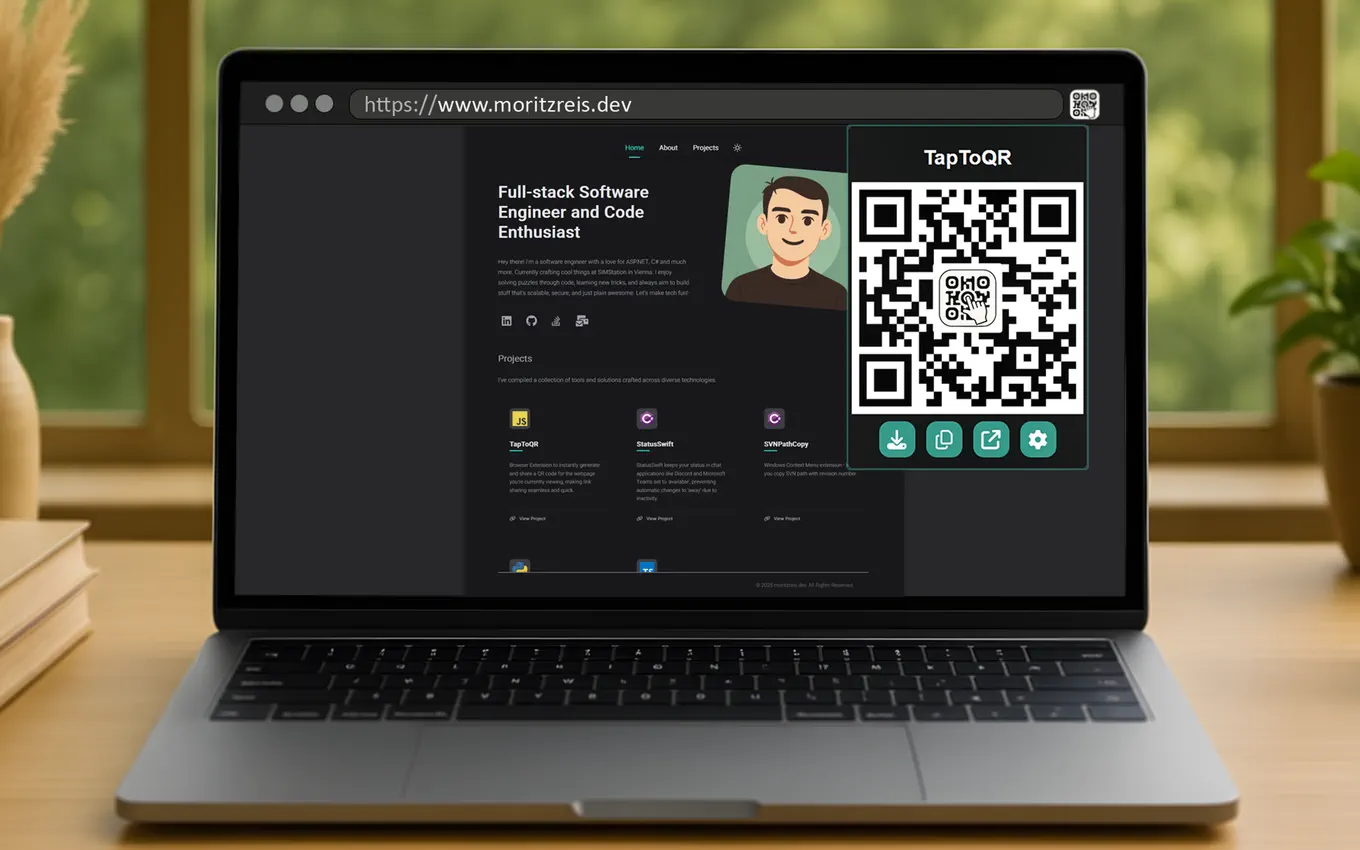
Current page in one click
Create a QR code for the active tab directly from the toolbar.
TapToQR is a lightweight browser extension for sharing pages and custom content.


At a glance
3
Browsers supported
6+
QR content types
0
Tracking scripts

Key Features
The extension keeps common sharing tasks quick and keeps advanced options available when you need them.
Create a QR code for the active tab directly from the toolbar.
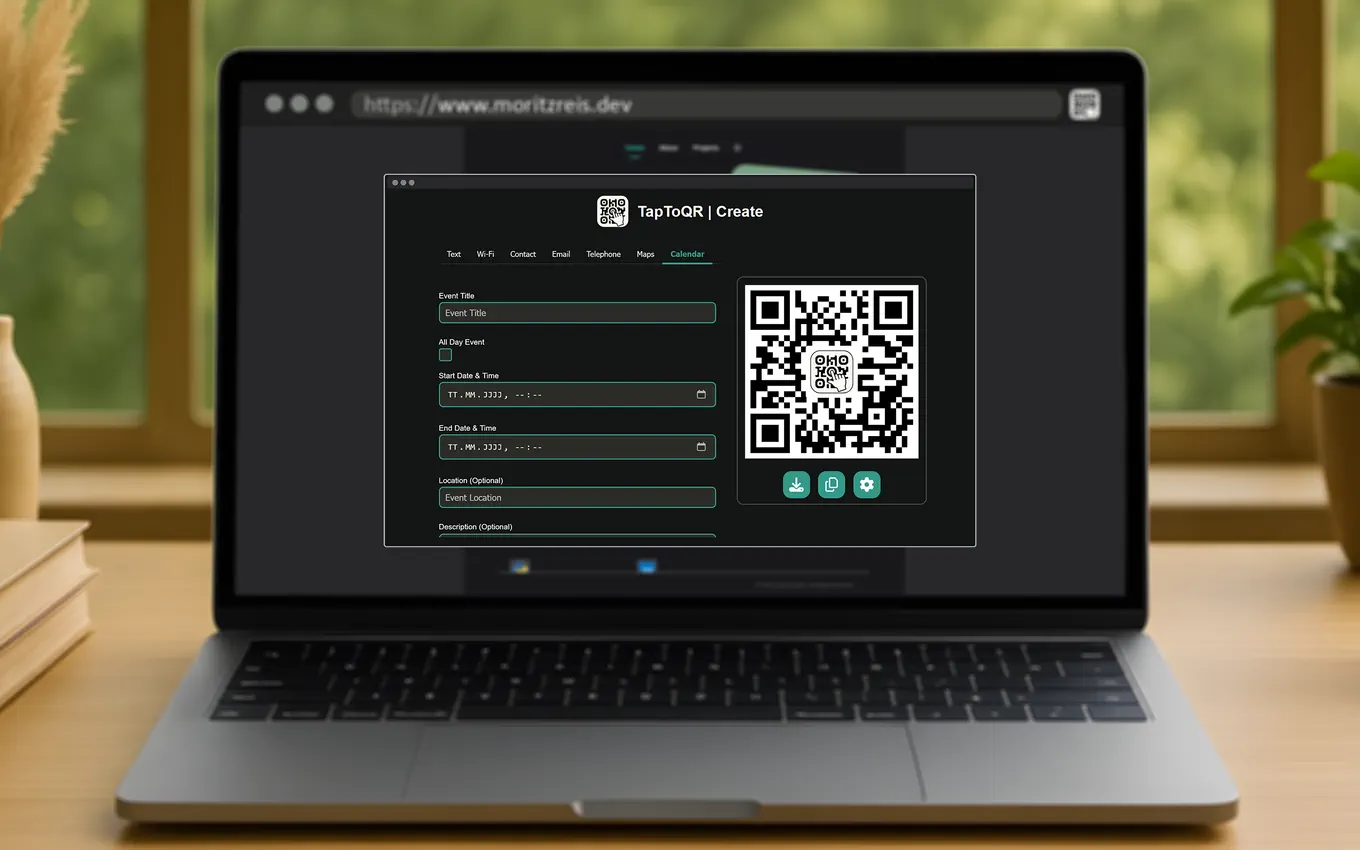
Encode text, links, contacts, email, phone numbers, Wi-Fi, and calendar events.
Open the same page on your phone without copy-paste or chat-to-self.
Copy the QR image, download a PNG, or regenerate after switching tabs.
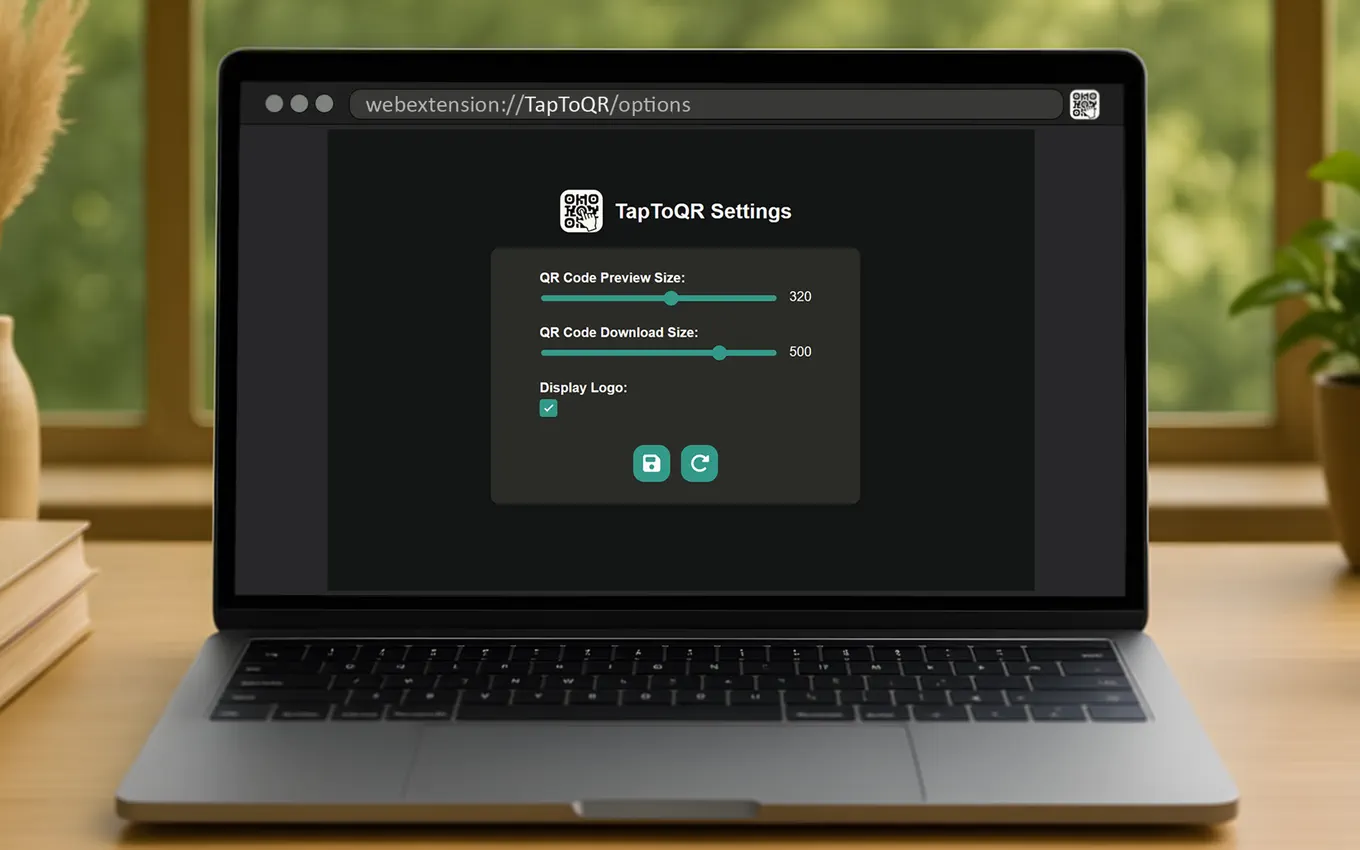
Choose preview size, export resolution, and whether to show the embedded logo.
A small settings surface keeps the popup clear and easy to use.
Workflow
Whether you share links daily or occasionally, the steps stay simple and predictable.
Click the TapToQR icon to generate a QR for the page you are already on.
Use built-in forms for text, contacts, Wi-Fi, email, phone, or calendar details.
Share immediately from the popup or export a clean PNG for later use.
Screenshots
A look at the popup, settings, and custom QR workflow.